Using the Proportional construction method
The Proportional construction method (a selection option on Edit Model > Zone > Layering Type) can be used to guide the placement of stratigraphic layers during the surface construction process in both the Structural Modeling and 3D Gridding workflows. This method is intended to be used in specific modeling scenarios where two different conditions are encountered:
- Data that the application can use to guide the layering placement is limited; the model lacks markers and/or seismic interpretation data that would aid in guiding placement.
- The top and base surfaces constraining the entire model have appreciably different shapes.
Using the Proportional construction method in scenarios such as these allows for the layering placement to be guided by the shape of both the top and bottom surface. The result of the surface construction process using this method are layers that will reflect the shape of the selected bounding surface. The greater the difference in shape between the top and base surface, the greater the difference you will see between constructing the surfaces proportional to the top surface and proportional to the bottom surface.
Proportional construction example
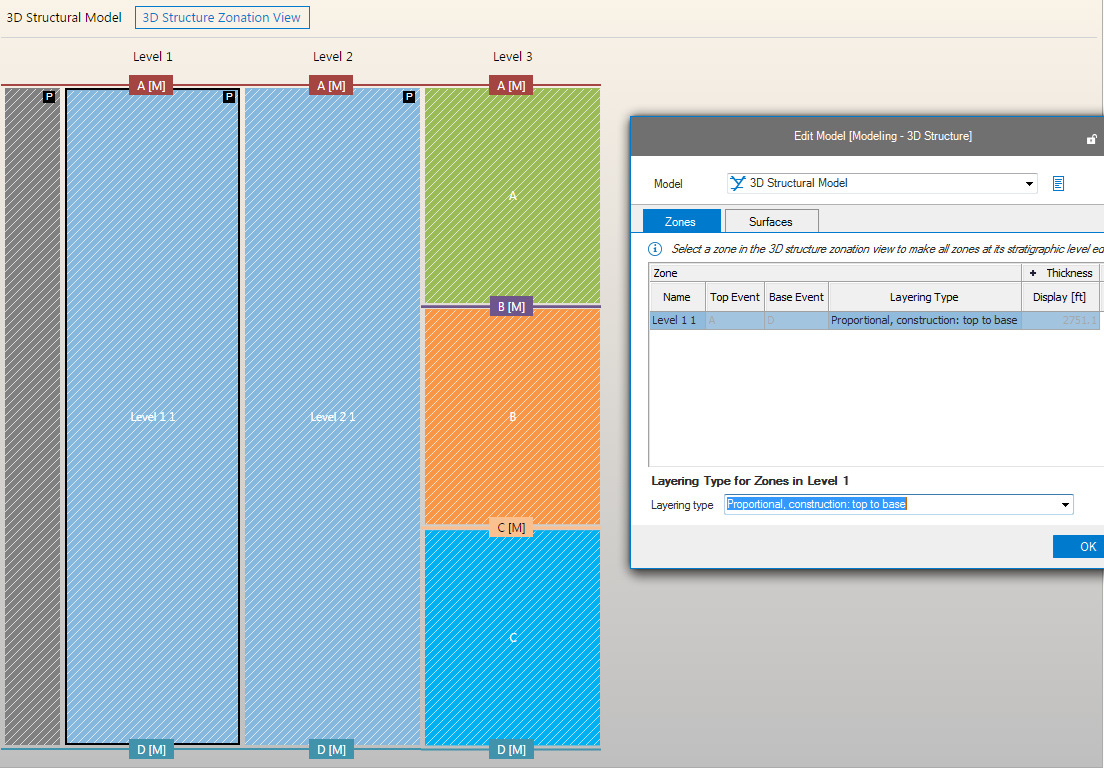
For an illustration of how this method affects your results, see the following images. Assume that you have the following 3D structure zonation model:
click to enlarge
Based on the geometric priority and other default construction sequence priorities, the application will construct surfaces in the following manner:
- Starting with zone 'Level 1 1', inserting surfaces A and D first.
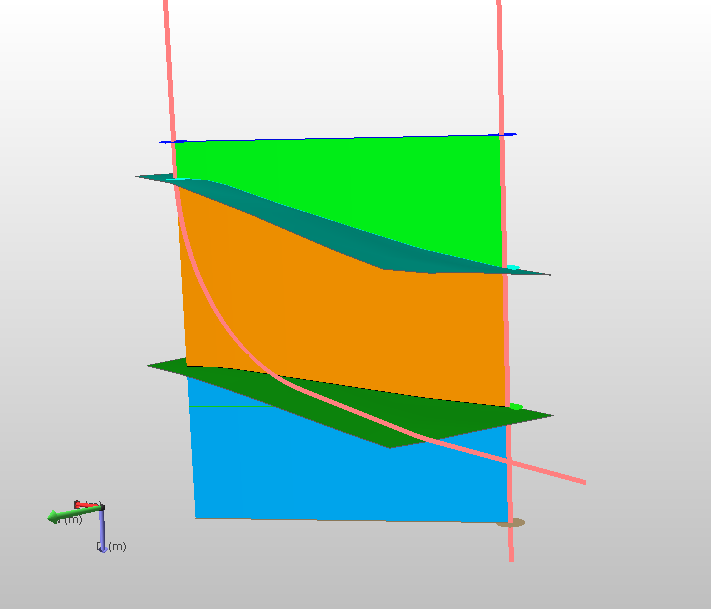
- If Proportional, construction: top to bottom is specified in the Edit Model form for the zone Level 1 1, surface B is inserted before surface C. Surface C is proportionally built between surface B and D. If surface A, as the top constraining surface, has a high angle of dip in the upward direction, then surface C is constructed likewise and will have a high angle of dip in the upward direction.
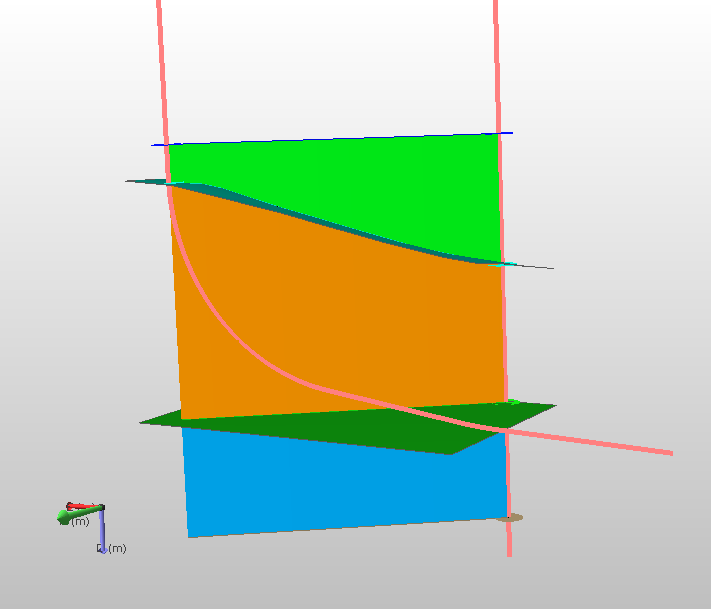
- If Proportional, construction: bottom to top is specified in the Edit Model form for zone Level 1 1, surface C is inserted before surface B. Surface B is proportionally built between surface C and A. If surface D, as the base constraining surface, has a high angle of dip in the downward direction, then surface B is constructed likewise and will have a high angle of dip in the downward direction.
This change in the order of the surface construction may result in a different zonation as shown below.
In the first image, because surface C (the lower green surface in the image below) is defined by only one well marker (only in the right well), it is less constrained than surface B, which is associated with a marker on both wells. The construction in this example was completed using the Proportional, construction: top to bottom option, meaning that the top surface was used as the reference when building surface C.
Proportional Top click to enlarge
In the second image, the Proportional, construction: bottom to top option has been used for the construction process. As you can see, the representation for surface C at the left well has moved deeper due to the fact that the bottom constraining surface was used as part of the construction criteria.
Proportional Base click to enlarge
The final image below shows the difference between the two instances of surface C.
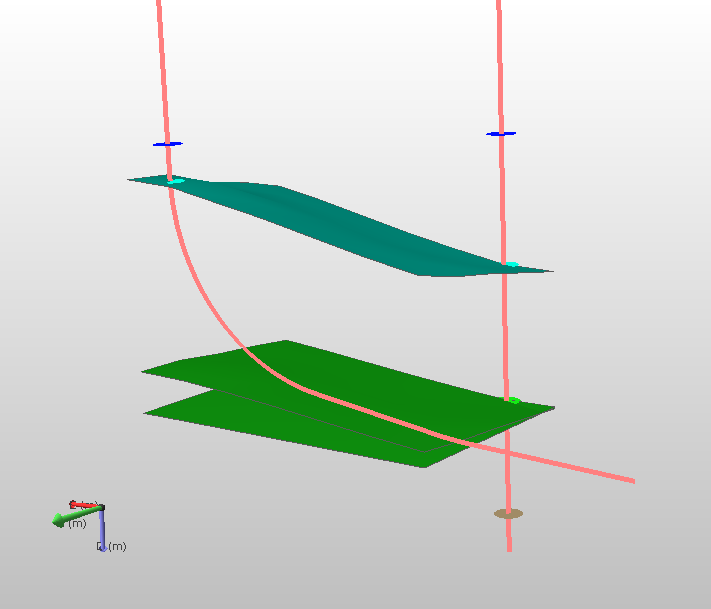
Impact of 'Proportional Top' versus 'Proportional Base' on surface C (lowermost green horizons) click to enlarge